Short, practical security tips for creators. No spam.
Join for free · Unsubscribe anytime
The Ali Abdaal WordPress Hack That Sent A Crypto Scam To His Entire List!
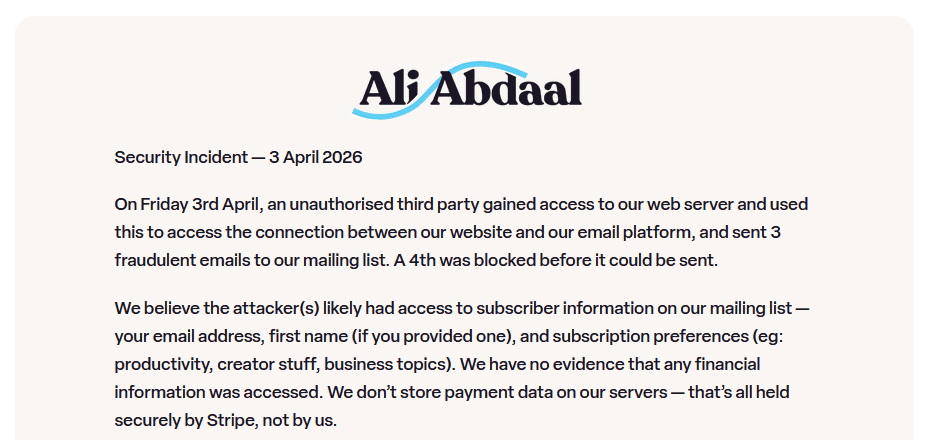
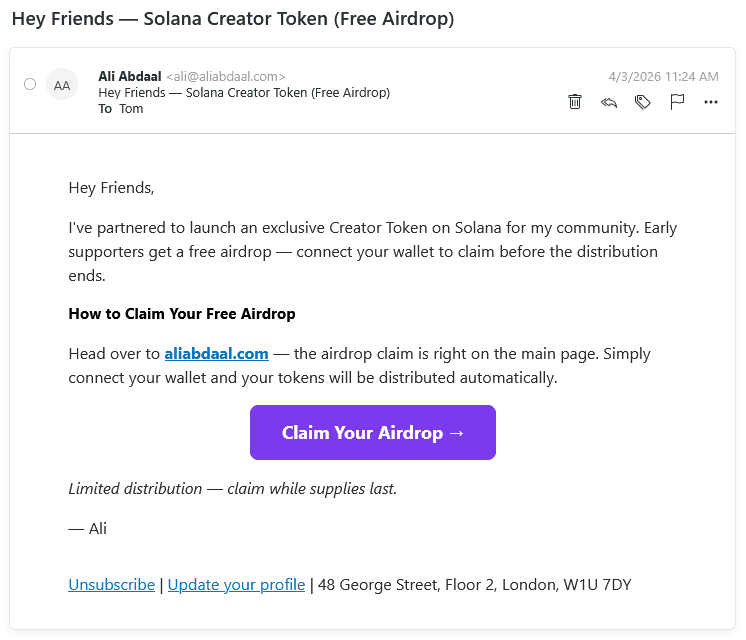
On April 3rd, 2026, Ali Abdaal's email subscribers received messages promoting a cryptocurrency airdrop. The emails came from his actual domain. They were real emails from his account, but they weren't from Ali or his team.
Attackers had exploited a vulnerability in a WordPress plugin on his site. Through that plugin, they gained access to the connection between his website and his email platform. Within minutes, scam emails went out to his entire list.
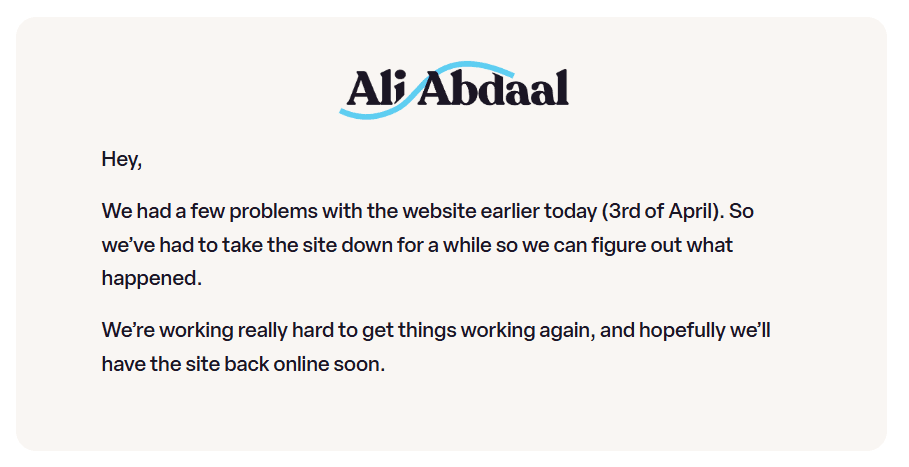
Ali's team caught it fast. They took the site offline, revoked API keys, reset all credentials, and disconnected their email integration. His response was about as good as you could ask for.
But here's the part that matters for every creator running a WordPress site: Ali didn't do anything wrong. He used a legitimate, official plugin from a reputable company. The vulnerability came from trusted software doing exactly what it was designed to do.
The plugin was an official WordPress plugin
That's what makes this worth paying attention to. This isn't a story about a creator being careless. It's a story about a plugin that most creators would consider safe, from a company they already trust, creating an attack path straight to their most valuable business asset: their email list.
How a "safe" plugin becomes a risk
If an attacker gains access to your WordPress server (through any vulnerability, in any plugin), they can potentially use that bridge to reach your email platform. They don't need to hack your email service provider. They just need to get onto your server and use the connection that's already there.
Your WordPress site might have 20 or 30 plugins installed. Each one is code running on your server, written by someone else, with access to your data and integrations. Any one of them can be the entry point. But the plugins that connect to your email list, your payment processor, or your course platform are the ones that turn a website hack into a business problem.
Plugins vs. standalone tools
Most creators use a mix of tools. Kit for email. Stripe for payments. Circle or Teachable for community and courses. When you use these as standalone platforms (logging into kit.app directly, using Stripe's dashboard, accessing Circle through its own site), your data lives on their servers. Their security teams manage the risk.
A WordPress plugin changes that equation. It puts a piece of that platform's functionality on your server. You're now responsible for the security of that connection. If your WordPress site gets compromised, every integration connected through a plugin is potentially exposed.
Ali actually had this right in other parts of his setup. He runs his paid community on Circle, a standalone platform that doesn't live on his WordPress server. Circle wasn't affected. The vulnerability came through the plugin that bridged his WordPress site to his email platform.
What you can do about it
You don't need to become a security expert. But you do need to treat your WordPress plugins like what they are: third-party software with access to your business.
Here's what that looks like in practice.
Move functionality off WordPress when you can. If a standalone tool can do the job, use it instead of a plugin. This is especially true for high-value connections like email and payments. You can embed a Kit signup form on your WordPress site using a simple HTML snippet instead of a plugin. That embed doesn't create a server-side connection to your email account. It's just a form. A plugin, on the other hand, lives on your server and maintains an active link to your Kit account. Ask yourself: does this need to be a plugin, or can an embed or direct link do the same job?
Audit your plugin list. Go through every plugin on your site. If you don't know what it does, find out. If you're not using it, delete it. Every plugin you remove is one less thing that can be compromised. Deactivating isn't enough. Delete it.
Know which plugins connect to other platforms. Not all plugins carry the same risk. A plugin that formats your blog layout is different from a plugin that holds API keys to your email platform or payment processor. Make a list of every plugin that connects to an external service. Those are your highest-priority items to review.
Turn off automatic updates for plugins. This sounds counterintuitive. Updates usually fix security issues. But supply chain attacks (like the BuddyBoss incident that affected hundreds of other WordPress sites in March 2026) can use the update system itself to deliver malicious code. A better approach: wait a few days after a plugin update drops before applying it. Check that the new version hasn't been flagged before you install it. Security updates should be installed promptly, feature updates can be delayed a little longer.